
It takes a few extra steps of planning to make sure things go smoothly on a ‘workcation’ or other work away from your home or corporate office. You’ll want to minimize the amount of time you spend troubleshooting once you arrive at your workcation destination, in order to spend as much time as possible not working. If you want to be able to keep traveling while working without anyone blinking an eye, though, it’s worth a little up front work to reduce the biggest risks to doing your best work.
Here’s what you need to look for in your lodging every time you work away from your home office:
Step One: Secure a Reliable Internet Connection
If you are going to work away from home, then booking lodging with easy access to a reliable, high-speed internet connection needs to be your number one priority. At a bare minimum, confirm that the hotel or rental claims to have Wi-Fi in the listing, and take note as to whether there is an extra charge. Sometimes the listing for a vacation rental will quote an average internet speed, and in my experience these are usually accurate if they have bothered to list it.
I also strongly suggest digging further to make sure that the internet speed is high enough to do your work without tearing your hair out. Your best bet for dependable information is in the reviews, which you should search or scan for details. If you find plenty of reviewers that were successful in working remotely or that talk about streaming movies or TV, and no complaints about slow internet, you are likely in the clear.
If you have your heart set on an accommodation without reviews that mention the internet reliability, then check with the place where you plan to stay for your workcation. You can also reach out to the hotel or vacation rental host and ask them to run an internet speed test, which they can do easily from a browser here. Anything over 25 Mbps is technically considered high-speed, but you’ll likely need it to be at least a bit higher than that if you need to stream video, download other large files, or if you won’t be the only person hogging bandwidth. 100 Mbps is lightning-fast.
Finally, consider having a backup plan in place, even if it is more expensive or less convenient, such as hotspotting from your phone or heading to a nearby café.
Step Two: Look Out for Potential Disruptions
When booking a workcation, the next most important consideration on your list should be having adequate privacy and quiet to be effective at work.
Here are some questions to ask yourself before you book that hotel or vacation rental:
- Am I sharing a room? You’ll want to make sure that you work out ahead of time how you’ll take meetings without disturbing your roommate too much, or vice-versa.
- What is likely to be directly outside my accommodation? A workcation is not a time to book a pool-view room at a resort. Check the address for problem businesses within earshot. For a vacation rental, sometimes photos of the view from a window or balcony will be informative.
- What do the reviews say about the level of noise? Take all such reviews with a grain of salt, but if there are major red flags they are likely to make themselves apparent here.
- Is there a backup location nearby? You may want to put a thumb on the scale of booking a hotel with a business center or lounge, or an apartment where I can have my own room. Also keep in mind that Wi-Fi doesn’t always reach all rooms of a multi-room vacation rental, so your first choice of where to work may not be an option.
Step 3: Consider Exactly Where You’ll Set Up Your Laptop
I am all for checking your morning email from bed, but if you are putting in full days of work away from home you will first and foremost need a place to sit other than your bed. Trust me on this – unless you are exceptionally limber you are going to need a chair if you expect to work for any significant stretch of time at once. Make sure you get visual confirmation from the photos on the hotel or vacation rental website that a chair exists and is in (or can be moved to) the quiet place you identified above.
How much else you’ll need for your setup will depend on your length of stay. In a pinch for a single day, I can make due with balancing my computer on my lap in the single armchair in my hotel room. If you plan to work for longer than that, make sure you also have a table to work on, and examine those pictures carefully to look for one at a regular height. Smaller apartments may only have kitchen counter seating. Before hitting “confirm” on that booking, I urge you to take into account how long you can realistically sit in a counter stool or other non-standard option before having to take a fistful of anti-inflammatory meds and lie down.
Step 4: Determine How You’ll Get Your Food…and Coffee
A chained-to-you-desk day happens to even the most balanced of us sometimes, and you can’t guarantee that it won’t happen on your workcation. I sincerely hope that you will be able to explore or take a break for lunch or dinner on your workcation. Here are the amenities you should look for in order to keep yourself fueled while taking advantage of your work-from-anywhere policy, depending on the length of your stay:
- Up to a few days: a minibar, vending machines, or a convenience store within a few minutes walk or drive of your accommodation.
- Around a week or two: the above plus an undercounter refrigerator and a microwave.
- Longer term stay: a grocery store a short walk or drive from your accommodation, plus depending on your level of interest in cooking meals, also a larger refrigerator, stove, and cooking ware.
Realistically, getting my morning caffeine fix taken care of comes at an even higher priority than food for me. I always check the hotel or vacation rental listing or photos to determine if I’ll have a coffee machine in my room or if it is available elsewhere in the building or within a close stumble. Otherwise, I come armed with my own solution. I know I have a problem.
Bonus Step: A Room With a View
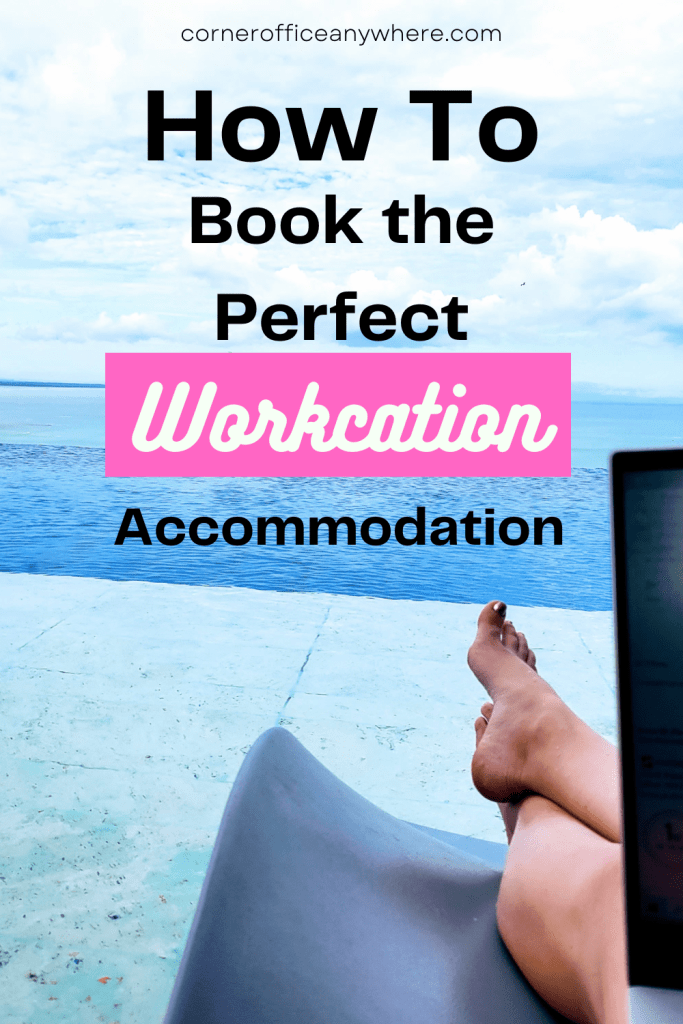
Sadly, you’ll notice that none of these steps involve finding the best pool lounge chair with an extension cord nearby. While you may be able to snag a couple of quiet workday hours slowly checking email from the pool deck or on the beach, if you need to get real work done on your workcation, the truth is that you’re likely to be cooped up inside. That’s why, after satisfying the above higher priorities, you should try to book yourself a room (or apartment) with a view whenever possible. That way, you can bring at least a little part of your vacation into your workday, even before you sign off for the day and go exploring.
If you do have the opportunity to spend any part of your workday in a hammock, believe me it will improve your perspective on your job, so go for it. Make sure you follow these steps first to make your transition from ‘work’ to ‘vacation’ as smooth as possible while working away from your regular desk setup.
Happy workcation planning, and if you’d like more updates like this, please sign up for our newsletter!
 Corner Office Anywhere
Leave a comment